Purchase Transaction Screen
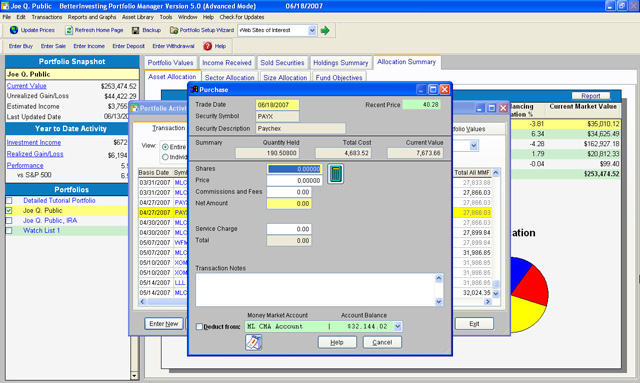
Use the Purchase transaction screen to enter the information
for the security purchase activity. Notice the top portion
of this screen indicates the trade date, security symbol,
security description and recent price. A summary band is also
shown that indicates the total quantity currently held, the
total cost basis, and the total current market value for the
security. The lower portion of this screen includes the necessary
entry fields for recording the purchase transaction. |