Activity Ledger
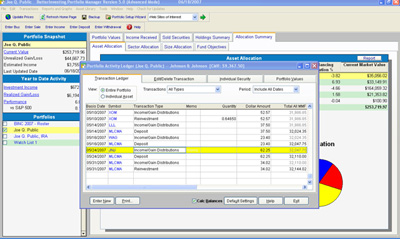
The Portfolio Activity Ledger lists all transaction records
for the open portfolio in chronological order. Users can customize
the view of the ledger by using the drop down arrows to select
specific transaction types and/or reporting periods. The ledger
can also be filtered to show transactions for an individual
asset by clicking in the view button dial, selecting the asset,
and pressing Go! (or by highlighting an asset in the portfolio
view and selecting the Individual Security Tab). |